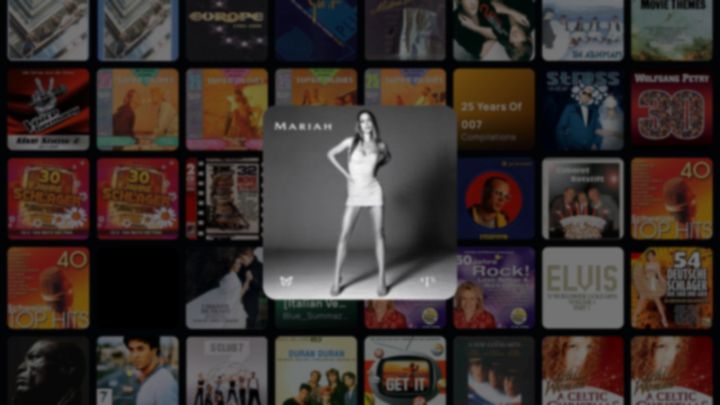
Cover Wall
Every album you own, drifting as a glowing mosaic across the room.
4 LOOKSFOR GOOGLE TV & ANDROID TV · COMING SOON
CoverDrift turns the music sitting in your own OneDrive, NAS or USB/local storage into a living wall of album covers on the biggest screen in the house — then hands you twelve music-reactive screensaver worlds that move to the beat. Nothing uploaded. No ads. No subscription.
14-DAY FREE TRIAL · THEN ONE-TIME PURCHASE FOR USD 6.99 · NO SUBSCRIPTION

HOW IT WORKS
OneDrive, a NAS on your home network or a USB drive: pick your music source, choose a folder, and listen. Nothing is copied — CoverDrift only reads.
Sign in to OneDrive (personal or business), pick a NAS share on your home network, or plug a USB drive into your TV. CoverDrift only gets read access; keys and passwords stay encrypted on your device. Your files never move.
CoverDrift scans your library and raises a wall of album covers across the whole screen. Missing artwork, years and genres get quietly fetched and filled in for you.
Pick an album with the D-pad — or just say it out loud. Then choose one of twelve screensaver worlds, kill the lights, and let the room move to your music.
THE SHOW
Every screensaver world listens to what's playing and moves with it — and each one ships in four looks. 12 worlds × 4 looks = 48 shows before the room ever repeats itself.
Every album you own, drifting as a glowing mosaic across the room.
4 LOOKS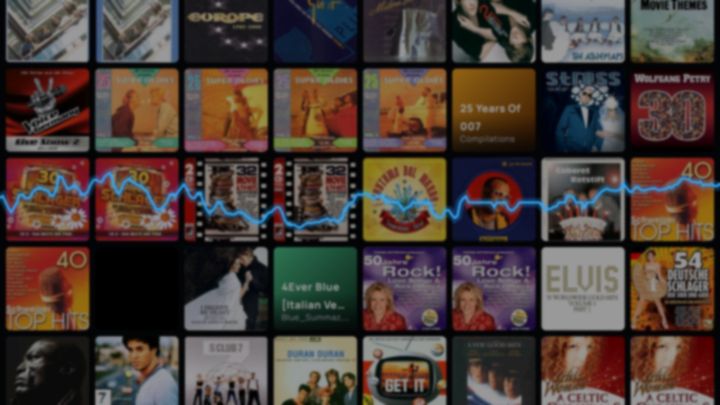
The artwork holds the stage while the live waveform plays beside it.
4 LOOKS
The song itself, drawn live as a neon waveform.
4 LOOKS
A warp tunnel of light that surges when the music does.
4 LOOKS
Rainbow bursts that detonate on the beat.
4 LOOKS
A light-show fleet flying formations above your music.
4 LOOKS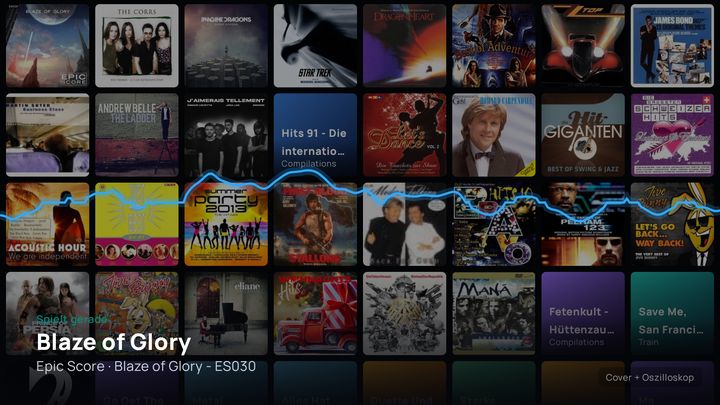
A web of glowing nodes that pulses with every kick.
4 LOOKS
Retro vector landscapes racing toward the horizon.
4 LOOKS
Mountain ridges sculpted out of the sound itself.
4 LOOKSA slow drift through stars, suns and distant worlds — live, right here.
4 LOOKS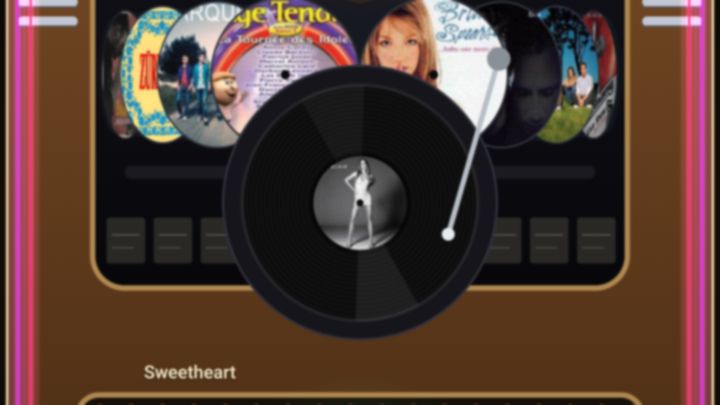
A neon cabinet that lifts your album onto the platter. Full story below.
4 LOOKS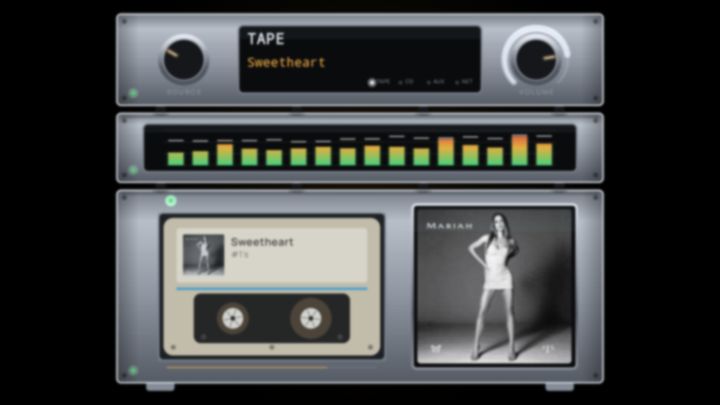
Your album on a glowing hi-fi rack, meters dancing to the track.
4 LOOKS


WORLD 07 · THE WARM ONE
Every other world is neon and night. This one is the diner on the corner: a stylised jukebox cabinet under a glowing neon arch, serving your albums one disc at a time.
Your covers ride a rotating disc carousel — and as each disc reaches the centre, it turns to face you. Pick a track and the machine takes over: the disc is lifted onto the platter while the camera glides in close.
Then the little miracle: the record spins, but your album cover stays perfectly upright the whole time — steady enough to read from the couch. A small mechanical ritual, once per song, and it never gets old.
Like every CoverDrift world, the Jukebox listens to the music and ships in four looks:
RECORD SPINS · COVER STAYS UPRIGHT · BEAT-SYNCED LIGHTSWarm vinyl and a real tonearm that settles into the groove.
A chrome platter read by a thin laser instead of a needle.
The arch turned all the way up — pure saturated light.
An amber-lit title board built from your own album tiles.
FEATURES
CoverDrift is TV-native from the first pixel: made for a remote in one hand and a drink in the other.
Say the album instead of hunting letters with the arrow keys. On-screen voice search finds artists, albums and tracks in seconds.
Every screen drives with the D-pad you already hold. Up, down, OK — no pointer, no pairing, no pain.
Missing artwork, years or genres? CoverDrift fetches them online in the background and caches them — your wall never has gaps.
Fully localised in seven languages, so the whole household can drive the wall — not just the resident tech person.
OneDrive (home or work/school), a shared folder on your NAS, or a USB stick in the TV — CoverDrift plays your music from wherever it lives.
Read-only access, tokens encrypted on your TV, no account to create, no ads, no tracking. Ever.
PRICING
No subscription, no renewal emails, no "premium tier of a premium tier". Try everything free for two weeks, then unlock it for keeps with one small payment.
START HERE
$0
EVERYTHING ON, FROM FIRST BOOT
COMING SOON TO GOOGLE PLAY · FOR GOOGLE TV & ANDROID TV
THEN, IF YOU'RE HOOKED
USD 6.99
ONE PAYMENT · LAUNCH PRICE · NO SUBSCRIPTION
READ-ONLY · NOTHING UPLOADED · NO ADS · NO TRACKING · NO ACCOUNT · TOKENS ENCRYPTED ON-DEVICE
CoverDrift looks at your music. It never touches it, moves it, or tells anyone about it.
READ THE FULL PRIVACY POLICYFAQ
Yes. CoverDrift connects to both personal Microsoft accounts and business (work/school) accounts. Sign in with whichever holds your music — access is strictly read-only either way.
One account at a time. CoverDrift stays linked to a single OneDrive — personal or business. To switch, open Settings, sign out, then sign back in with the other account; your wall rebuilds from there.
Any TV or streaming box running Google TV or Android TV — Sony Bravia, Chromecast with Google TV, NVIDIA Shield, Philips, TCL and friends. It's designed for the remote in your hand, not a mouse.
No. You get a 14-day free trial of absolutely everything, then a single one-time purchase for USD 6.99 at launch. When the trial ends, CoverDrift needs that one-time unlock to keep running — but there is no recurring fee, no renewal and no expiry. Buy once, drift forever.
Exactly where it already lives: on your selected OneDrive, NAS or USB/local storage. CoverDrift streams it to your TV with read-only access — no files are modified or uploaded; cover art and library information are cached on your TV. Your sign-in tokens are stored encrypted on the device, and there's no CoverDrift account to create.
Yes. Besides OneDrive, CoverDrift reads music straight from a NAS on your home network — any shared folder over SMB 2/3 (Windows file sharing), found automatically or entered by hand — and from a USB drive or stick connected to your TV or streaming box. Access is read-only, and your NAS password is stored encrypted on the device. NAS access needs Android 8 or newer.
If you can sign in to Microsoft, you're in. Connect once, and CoverDrift scans your library, builds the wall and fills in missing covers by itself. From there it's arrow keys, the OK button and — if you feel fancy — your voice.